At 03:51 UTC on March 27, 2026, two malicious versions of the official Telnyx Python SDK were uploaded to PyPI. Versions 4.87.1 and 4.87.2 contain a credential-stealing payload that executes the moment you import telnyx — no install hook, no postinstall script, just an import statement and the malware runs.
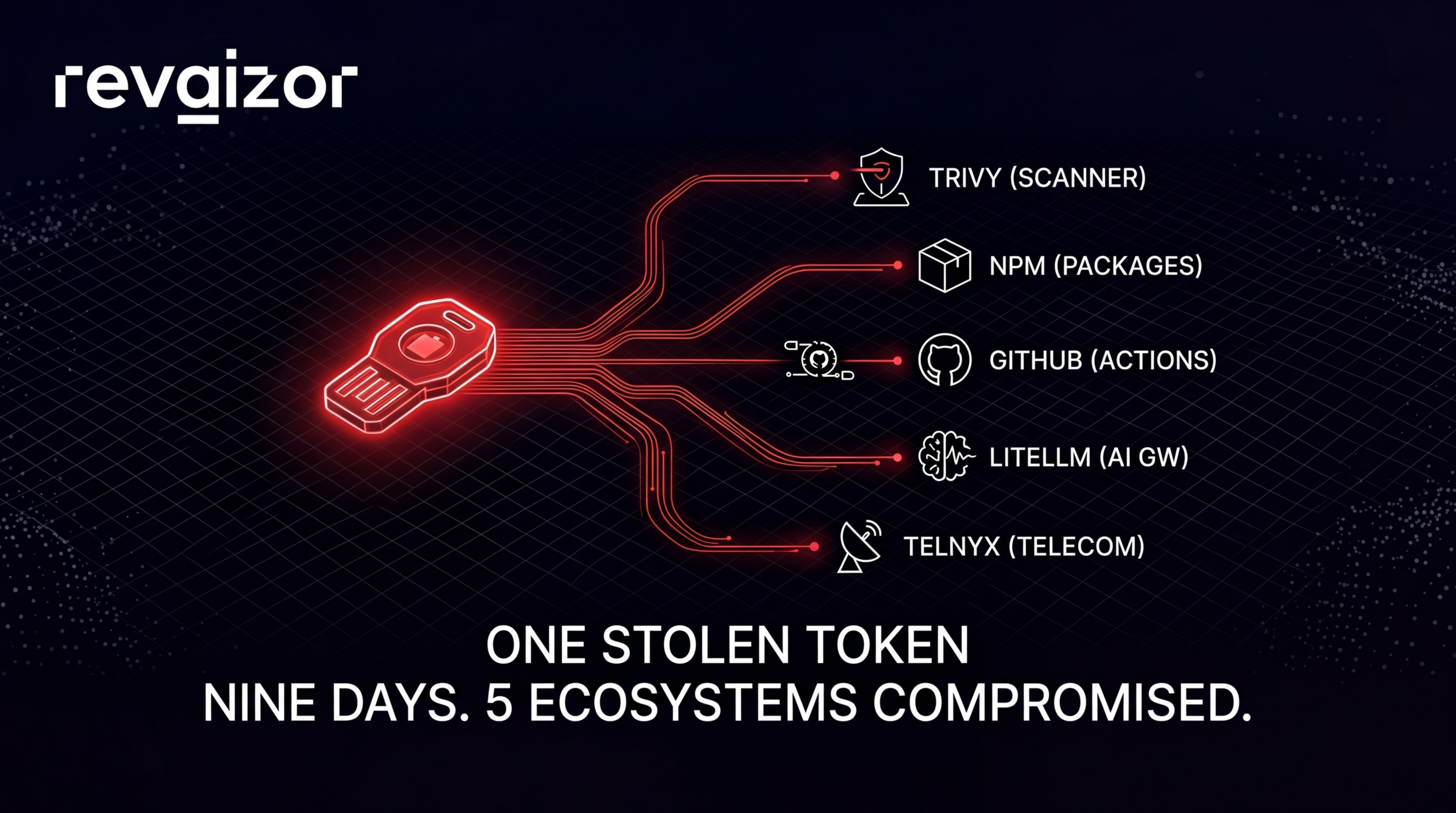
This is not an isolated incident. It is the latest move in a campaign by a threat actor known as TeamPCP that began on March 19 with the compromise of Aqua Security’s Trivy vulnerability scanner. Since then, the same group has hit npm, GitHub Actions, VS Code extensions, and now PyPI — each time using credentials stolen from the previous compromise to unlock the next one.
The attack chain looks like this:
| Date | Target | Ecosystem | Impact |
|---|---|---|---|
| Mar 19 | Trivy (Aqua Security) | GitHub / Docker | CVE-2026-33634 (CVSS 9.4). CI/CD credentials exfiltrated from every pipeline running Trivy without version pinning. 44 Aqua Security repos renamed. |
| Mar 20 | CanisterWorm | npm | 46+ npm packages backdoored using stolen tokens. Self-propagating worm enumerated all publishable packages per token and pushed malicious versions in under 60 seconds. |
| Mar 23 | Checkmarx | GitHub Actions / OpenVSX | kics-github-action and ast-github-action compromised. Two OpenVSX extensions hijacked. 35 tags modified between 12:58–16:50 UTC. C2: checkmarx[.]zone. |
| Mar 24 | LiteLLM | PyPI | Versions 1.82.7 and 1.82.8 published using credentials stolen from LiteLLM’s CI/CD pipeline (which ran unpinned Trivy). ~95 million downloads/month. C2: models[.]litellm[.]cloud. |
| Mar 27 | Telnyx | PyPI | Versions 4.87.1 and 4.87.2. 742K downloads in the past month. WAV steganography payload. C2: 83[.]142[.]209[.]203:8080. |
The pattern is consistent: steal credentials from a trusted tool, use those credentials to push malicious versions of whatever that tool had access to, collect whatever secrets are running in the next environment, repeat.
The full campaign timeline
March 19: Trivy — the starting point
Trivy is Aqua Security’s open-source vulnerability scanner. It runs in thousands of CI/CD pipelines worldwide to scan container images, filesystems, and IaC configurations for known vulnerabilities. It was the first domino.
On March 19, TeamPCP backdoored Trivy and published a compromised version. The vulnerability was assigned CVE-2026-33634 with a CVSS score of 9.4 (Critical). The payload targeted one thing: CI/CD credentials. Every pipeline running Trivy without pinning to a specific verified version had its environment variables, secrets, and authentication tokens exfiltrated.
TeamPCP also renamed 44 Aqua Security GitHub repositories with the prefix tpcp-docs- and the description “TeamPCP Owns Aqua Security” — a deliberate public claim of responsibility.
Why Trivy mattered as a first target: Vulnerability scanners run with elevated access. They need to read your code, your dependencies, your configurations, and your container images. That means they typically have access to the same secrets your build pipeline uses — npm tokens, PyPI credentials, cloud provider keys, GitHub personal access tokens. Compromising Trivy did not just give TeamPCP access to Trivy users. It gave them the keys to everything those users could publish.
Official advisory: GHSA-69fq-xp46-6x23
March 20: CanisterWorm hits npm
Using tokens harvested from Trivy users’ CI/CD pipelines, TeamPCP launched CanisterWorm — a self-propagating backdoor that spread across the npm ecosystem.
CanisterWorm worked like this:
- Take a stolen npm publish token
- Use the npm API to enumerate every package that token has publish access to
- For each package, bump the version number, inject the backdoor, and publish
- The backdoor in each newly compromised package repeats the cycle with any new tokens it finds
The worm expanded to 46+ npm packages across scopes including @EmilGroup and @opengov. The entire enumeration-to-publish cycle completed in under 60 seconds per token — faster than most monitoring systems could detect it.
What made CanisterWorm particularly difficult to contain was its use of a decentralized command-and-control server hosted on the Internet Computer Protocol (ICP), making takedown requests far more complex than a standard domain seizure.
By the end of March 20, the compromised packages had expanded to 141 malicious artifacts across 66+ packages.
March 22: WAV steganography appears
On March 22, security researchers observed TeamPCP deploying a new payload delivery mechanism in their Kubernetes wiper variant: WAV file steganography.
Instead of delivering payloads as executables, scripts, or encoded strings, TeamPCP began embedding malicious code inside the audio frame data of .wav files. The files are structurally valid audio — they pass MIME-type checks, they have correct WAV headers, and they will play as audio if opened in a media player. But the audio frame data contains a base64-encoded payload that, when decoded and XOR-decrypted, produces an executable or script.
This technique would appear again five days later in the Telnyx compromise, carrying both the Windows dropper and the Linux credential stealer.
March 23: Checkmarx GitHub Actions and OpenVSX
TeamPCP’s reach extended to Checkmarx, another security vendor. Two GitHub Actions were compromised:
kics-github-action— Checkmarx’s KICS (Keeping Infrastructure as Code Secure) actionast-github-action— Checkmarx’s AST (Application Security Testing) action
Two OpenVSX (open VS Code marketplace) extensions were also hit:
cx-dev-assistversion 1.7.0ast-resultsversion 2.53.0
Between 12:58 and 16:50 UTC, 35 tags were hijacked. The malicious code was removed approximately three hours later. The payload used a new C2 domain: checkmarx[.]zone, impersonating the Checkmarx brand.
The attack vector was the same: credentials stolen from CI/CD pipelines that ran compromised Trivy. This marked the first GitHub Actions supply chain attack in the campaign, demonstrating that TeamPCP was willing to cross ecosystem boundaries.
March 24: LiteLLM — the AI gateway
LiteLLM is a Python library that provides a unified API for calling multiple LLM providers — OpenAI, Anthropic, AWS Bedrock, Google VertexAI, Azure OpenAI, and dozens more. It serves approximately 95 million downloads per month and is increasingly deployed as a centralized LLM gateway in production environments.
Versions 1.82.7 and 1.82.8 were published to PyPI using credentials stolen from LiteLLM’s CI/CD pipeline. That pipeline ran unpinned Trivy — connecting the chain directly back to March 19.
The C2 for this stage was models[.]litellm[.]cloud — a domain designed to blend into LiteLLM’s legitimate infrastructure. PyPI quarantined both packages approximately three hours after the malicious upload.
Why LiteLLM was particularly dangerous: As a centralized LLM gateway, LiteLLM instances typically hold API keys for every LLM provider the organization uses. A single compromised LiteLLM deployment could expose credentials for OpenAI, Anthropic, AWS, GCP, and Azure simultaneously. The exfiltrated data from LiteLLM environments potentially gave TeamPCP access to cloud provider accounts, not just API keys.
Official advisory: LiteLLM Security Update — March 2026
March 27: Telnyx — the latest target
At 03:51 UTC this morning, two malicious versions of the Telnyx Python SDK hit PyPI:
telnyx==4.87.1— SHA256:7321caa303fe96ded0492c747d2f353c4f7d17185656fe292ab0a59e2bd0b8d9telnyx==4.87.2— SHA256:cd08115806662469bbedec4b03f8427b97c8a4b3bc1442dc18b72b4e19395fe3
Telnyx is a cloud communications platform. Its Python SDK is used for programmatic voice, messaging, and networking operations. The package has been downloaded 742,000 times in the past month.
Both malicious versions have been quarantined by PyPI. The community-filed security issue is tracked at team-telnyx/telnyx-python#235.
How the Telnyx payload works
The injection point
The malicious code was injected into telnyx/_client.py. This file executes at import time — the moment any Python code runs import telnyx, the payload fires. There is no install hook to disable, no postinstall script to block, and no explicit function call required. The malware runs as a side effect of the import statement itself.
This is significant because many security tools focus on detecting malicious setup.py scripts or postinstall hooks. Import-time execution in a core module file bypasses those checks entirely.
Windows path
On Windows systems, the payload:
- Downloads
hangup.wavfrom83[.]142[.]209[.]203:8080 - Decodes the WAV file’s audio frames to extract a base64-encoded, XOR-obfuscated executable
- Drops the executable as
msbuild.exein the Windows Startup folder:%APPDATA%\Microsoft\Windows\Start Menu\Programs\Startup\msbuild.exe - The binary runs silently on every login
- A 12-hour re-drop cooldown is enforced by a hidden lock file at:
%APPDATA%\Microsoft\Windows\Start Menu\Programs\Startup\msbuild.exe.lock
The choice of msbuild.exe as the filename is deliberate — it mimics the legitimate Microsoft Build Engine binary, reducing suspicion in process lists and forensic reviews.
Linux and macOS path
On Linux and macOS, the approach is different and more aggressive. A complete second-stage Python script is hardcoded as a base64 blob directly in _client.py at line 459. No external download is needed for the initial stage.
The execution chain:
- The base64 blob is decoded and executed inline
- The script fetches
ringtone.wavfrom83[.]142[.]209[.]203:8080 - The WAV audio frames are decoded using the same XOR technique to extract a third-stage collector script
- The collector script runs via
sys.executable -(piped to stdin), harvesting credentials, environment variables, SSH keys, cloud provider configurations, and any accessible secrets - The collected data is bundled as
tpcp.tar.gz - The bundle is encrypted with AES-256-CBC, and the session key is wrapped with an attacker-controlled RSA-4096 public key using OAEP padding
- The encrypted archive is exfiltrated via HTTP POST to
83[.]142[.]209[.]203:8080with the headerX-Filename: tpcp.tar.gz
The RSA-4096 key wrapping means that even if the exfiltration traffic is captured, only TeamPCP can decrypt what was stolen.
The WAV steganography technique
This is the most technically interesting aspect of the payload. Here is the core decoding logic extracted from the malicious _client.py:
import wave, base64

with wave.open(wf, 'rb') as w:
    b = base64.b64decode(w.readframes(w.getnframes()))
    s, m = b[:8], b[8:]
    payload = bytes([m[i] ^ s[i % len(s)] for i in range(len(m))])
Step by step:
- Open the WAV file using Python’s standard
wavemodule - Read all audio frames —
w.readframes(w.getnframes())extracts the raw PCM audio data - Base64-decode the frame data — the “audio” is actually base64-encoded binary data structured to be valid PCM frames
- Extract the XOR key — the first 8 bytes of the decoded data serve as the XOR key
- XOR-decrypt the payload — the remaining bytes are XOR’d against the key (cycling every 8 bytes) to produce the final executable or script
Why this works as an evasion technique:
- The
.wavfile is structurally valid audio. It has a correct RIFF header, proper format chunks, and well-formed data chunks. Audio players will attempt to play it (it will sound like noise). - MIME-type checks identify it correctly as
audio/wav. - URL allowlists that permit
.wavdownloads will not block it. - Content-based filtering and DLP systems scanning for executables, scripts, or known malware patterns will not flag audio frame data.
- Network monitoring tools that inspect file downloads by extension or content type will classify it as benign media.
TeamPCP first deployed this technique on March 22 in their Kubernetes wiper variant. Five days later, it is the delivery mechanism for both the Windows dropper and the Linux credential stealer in the Telnyx payload. The reuse indicates they consider it effective enough to standardize.
Why this attack evades detection
The Telnyx compromise specifically, and the TeamPCP campaign generally, exploits several blind spots in the standard software supply chain security model:
1. Legitimate credentials, not typosquatting. The malicious telnyx versions were published using compromised credentials for the real Telnyx package. This is not a typosquatted package name. It is the official package with a malicious version. Hash verification confirms the file you downloaded matches what PyPI served — but what PyPI served was the attacker’s code.
2. Import-time execution, not install hooks. Many supply chain security tools focus on setup.py, postinstall scripts, and .pth file injection. The Telnyx payload lives in a normal Python module that runs at import time. This bypasses install-time scanning entirely.
3. No malicious dependencies. The malicious versions do not add suspicious new dependencies. The payload is self-contained within the existing package structure.
4. Steganographic delivery. The second-stage payload is hidden inside a structurally valid audio file. Endpoint detection tools, network filters, and sandboxes that scan for executables in HTTP downloads will not flag a .wav file.
5. Encrypted exfiltration. The stolen data is encrypted with AES-256-CBC and the key is wrapped with RSA-4096. Even if network monitoring captures the outbound POST, the contents cannot be inspected without the attacker’s private key.
6. Cascading trust exploitation. The entire campaign is built on the principle that compromising a trusted tool (Trivy) yields credentials to compromise the next trusted tool (LiteLLM, Telnyx). Each hop adds legitimacy — the credentials are real, the packages are real, the maintainer accounts are real.
Am I affected?
Step 1: Check your installed packages
Run these commands in every environment where you install Python packages — development machines, CI/CD runners, production servers, Docker images, virtual environments:
Check for compromised Telnyx versions:
pip show telnyx 2>/dev/null | grep -E "^Version:"If the output shows 4.87.1 or 4.87.2, you are affected. Safe versions are 4.87.0 and below.
Check for compromised LiteLLM versions:
pip show litellm 2>/dev/null | grep -E "^Version:"If the output shows 1.82.7 or 1.82.8, you are affected.
Check all environments at once:
# Check all virtual environments on the system
find / -name "site-packages" -type d 2>/dev/null | while read dir; do
  for pkg in telnyx litellm; do
    metadata=$(find "$dir" -maxdepth 1 -name "${pkg}-*.dist-info" -type d 2>/dev/null)
    if [ -n "$metadata" ]; then
      version=$(grep "^Version:" "$metadata/METADATA" 2>/dev/null | cut -d' ' -f2)
      echo "Found $pkg==$version in $dir"
    fi
  done
done
Step 2: Check for persistence artifacts
On Windows, check for the dropped binary:
%APPDATA%\Microsoft\Windows\Start Menu\Programs\Startup\msbuild.exe
%APPDATA%\Microsoft\Windows\Start Menu\Programs\Startup\msbuild.exe.lock
If either file exists and was created after March 27, 2026, delete both files immediately. The legitimate msbuild.exe lives in C:\Windows\Microsoft.NET\ or Visual Studio directories — never in the Startup folder.
On Linux/macOS, check for outbound connections to the C2:
# Check active connections
ss -tnp | grep "83.142.209.203"
netstat -tn | grep "83.142.209.203"

# Check recent DNS and connection logs
grep -r "83.142.209.203" /var/log/ 2>/dev/null
Step 3: Monitor network traffic
Block and monitor for connections to the following indicators:
IP:    83.142.209.203
Port:  8080
URLs:  hxxp://83[.]142[.]209[.]203:8080/hangup.wav
       hxxp://83[.]142[.]209[.]203:8080/ringtone.wav
       hxxp://83[.]142[.]209[.]203:8080/  (POST exfiltration)
Header: X-Filename: tpcp.tar.gz
Add firewall rules immediately:
# iptables
iptables -A OUTPUT -d 83.142.209.203 -j DROP

# ufw
ufw deny out to 83.142.209.203
Step 4: Rotate everything
If you installed either malicious version, treat the entire environment as compromised. The credential stealer targets everything accessible to the Python process:
- API keys: Telnyx, OpenAI, Anthropic, AWS, GCP, Azure, and any other keys in environment variables or config files
- Database credentials: Connection strings, passwords in
.envfiles, database configuration files - SSH keys:
~/.ssh/id_rsa,~/.ssh/id_ed25519, and any other private keys - Cloud provider credentials: AWS
~/.aws/credentials, GCP service account JSON files, Azure CLI tokens - CI/CD secrets: GitHub tokens, GitLab tokens, npm tokens, PyPI tokens — anything your build pipeline uses
- Application secrets: JWT signing keys, session secrets, encryption keys
Rotation checklist:
- Revoke and regenerate all API keys for every service the affected machine had access to
- Rotate database passwords
- Generate new SSH key pairs and remove old public keys from all authorized_keys files
- Rotate cloud provider access keys (AWS IAM, GCP service accounts, Azure AD)
- Invalidate all active sessions and tokens
- Rotate CI/CD pipeline secrets
- Rotate any application-level secrets (JWT keys, encryption keys)
- Review audit logs for all affected services for unauthorized access since March 27
Complete IOC reference
Malicious package versions
| Package | Malicious Versions | Safe Version | SHA256 |
|---|---|---|---|
telnyx | 4.87.1, 4.87.2 | 4.87.0 | 7321caa303fe96ded0492c747d2f353c4f7d17185656fe292ab0a59e2bd0b8d9 (4.87.1) |
telnyx | 4.87.1, 4.87.2 | 4.87.0 | cd08115806662469bbedec4b03f8427b97c8a4b3bc1442dc18b72b4e19395fe3 (4.87.2) |
litellm | 1.82.7, 1.82.8 | 1.82.6 | Check PyPI advisory |
Network indicators
| Indicator | Context |
|---|---|
83[.]142[.]209[.]203:8080 | Telnyx C2 server |
hxxp://83[.]142[.]209[.]203:8080/hangup.wav | Windows payload delivery |
hxxp://83[.]142[.]209[.]203:8080/ringtone.wav | Linux/macOS payload delivery |
hxxp://83[.]142[.]209[.]203:8080/ | Exfiltration endpoint (POST) |
checkmarx[.]zone | Checkmarx stage C2 |
models[.]litellm[.]cloud | LiteLLM stage C2 |
File system indicators
| Path | Platform | Description |
|---|---|---|
%APPDATA%\Microsoft\Windows\Start Menu\Programs\Startup\msbuild.exe | Windows | Dropped persistence binary |
%APPDATA%\Microsoft\Windows\Start Menu\Programs\Startup\msbuild.exe.lock | Windows | Re-drop cooldown lock file |
tpcp.tar.gz | All | Exfiltration archive filename |
HTTP indicators
| Header | Value |
|---|---|
X-Filename | tpcp.tar.gz |
CVEs
| CVE | Target | CVSS |
|---|---|---|
| CVE-2026-33634 | Trivy (Aqua Security) | 9.4 Critical |
How the credential chain reaction works
The TeamPCP campaign is not a series of unrelated incidents. It is a single operation where each compromise funds the next. Understanding the chain reaction is critical because it reveals why traditional per-package security measures are insufficient.
Trivy compromised (Mar 19)
    │
    ├─→ CI/CD credentials stolen from Trivy users' pipelines
    │       │
    │       ├─→ npm tokens → CanisterWorm (Mar 20)
    │       │       └─→ 46+ npm packages compromised
    │       │
    │       ├─→ GitHub tokens → Checkmarx Actions (Mar 23)
    │       │       └─→ kics-github-action, ast-github-action, 2 OpenVSX extensions
    │       │
    │       ├─→ PyPI tokens → LiteLLM (Mar 24)
    │       │       └─→ LLM gateway credentials stolen
    │       │              └─→ OpenAI, Anthropic, AWS, GCP, Azure keys exposed
    │       │
    │       └─→ PyPI tokens → Telnyx (Mar 27)
    │               └─→ Telecom API credentials, cloud keys stolen
    │
    └─→ [Next target: unknown — depends on what was stolen from Telnyx and LiteLLM users]
This is the core problem. Each compromised tool gives TeamPCP access to the credentials of everyone who used that tool. Those credentials unlock access to publish on other package registries, push to other repositories, and modify other CI/CD pipelines. The blast radius expands geometrically.
Trivy runs in thousands of CI/CD pipelines. Each pipeline may hold tokens for npm, PyPI, Docker Hub, GitHub, and cloud providers. A single compromise of Trivy did not give TeamPCP access to one system — it gave them a key ring with thousands of keys to thousands of systems.
The campaign is likely not over. Whatever credentials were exfiltrated from Telnyx and LiteLLM users have not yet been fully exploited. Organizations that ran either compromised package should assume their credentials are in TeamPCP’s possession and act accordingly.
What this means for every developer
Version pinning is necessary but not sufficient
If you pinned telnyx==4.87.0 in your requirements.txt, you were not affected. Version pinning is the single most effective defense against this class of attack. But it only protects against the specific packages you pin. It does not protect against:
- Transitive dependencies that are not pinned
- Build tools and CI/CD actions that are not version-locked
- Docker base images that install packages at build time without pinning
Pin everything. Use pip freeze > requirements.txt or pip-compile (from pip-tools) to lock your entire dependency tree, including transitive dependencies. Use hash verification with --require-hashes for defense against this exact attack vector.
# requirements.txt with hash pinning
telnyx==4.87.0 \
    --hash=sha256:<known-good-hash>
Security tools are high-value targets
The foundational insight of the TeamPCP campaign is that security tools are ideal first targets. They run with elevated permissions, they have access to secrets, and organizations trust them implicitly. Trivy, Checkmarx, Snyk, SonarQube — any tool that runs in your CI/CD pipeline with access to your secrets is a potential first domino.
Treat your security tools with the same rigor you treat your production dependencies. Pin versions. Verify checksums. Monitor for unexpected updates. Run security tools with the minimum required permissions and isolate their access to secrets.
The import-time execution problem
The Telnyx payload does not use setup.py or install hooks. It lives in a standard Python module and executes at import time. This means:
- pip install is not the trigger — import is
- You could install the package, inspect
setup.py, find nothing suspicious, and still get compromised the moment your code imports it - Static analysis tools that focus on install-time behavior will miss it
- The only way to catch this is to audit the actual source code of every package update — which at scale, no one does manually
This is not a solved problem. Tools like Datadog GuardDog and Socket.dev are working on import-time analysis, but coverage is not yet comprehensive.
FAQ
What versions of telnyx are affected?
Versions 4.87.1 and 4.87.2 are malicious. Version 4.87.0 and all prior versions are safe. Both malicious versions have been quarantined by PyPI and are no longer installable.
What versions of litellm are affected?
Versions 1.82.7 and 1.82.8 are malicious. Version 1.82.6 and all prior versions are safe.
Does pip install alone trigger the malware?
No. The malware in the Telnyx package executes at import time, not install time. Running pip install telnyx==4.87.1 places the malicious code on disk. Running import telnyx in Python triggers execution. However, if any of your code, tests, or scripts import telnyx automatically, the distinction is academic — the malware will run.
I use telnyx but I have version pinning. Am I safe?
If your requirements.txt or lock file specifies a version prior to 4.87.1 (e.g., telnyx==4.87.0), you were not affected. Verify with pip show telnyx in every environment.
How do I know if my credentials were stolen?
If you ran a compromised version and your code imported telnyx, assume credentials were stolen. Check audit logs for all services accessible from that environment for unauthorized access after March 27, 2026. Look for outbound HTTP traffic to 83.142.209.203:8080.
Is this campaign over?
Almost certainly not. Each stage of the campaign has used credentials stolen from the previous stage. Credentials exfiltrated from Telnyx and LiteLLM users may be used for future compromises. The gap between stages has ranged from one to four days.
What is TeamPCP?
TeamPCP is the threat actor behind this campaign. They have claimed responsibility publicly by renaming Aqua Security repositories with the prefix tpcp-docs- and maintaining an X/Twitter account at @pcpcats. The exfiltration archive is named tpcp.tar.gz and uses the header X-Filename: tpcp.tar.gz. Beyond this self-identification, attribution details remain limited.
How can I protect against future supply chain attacks like this?
- Pin all dependency versions including transitive dependencies
- Use hash verification (
--require-hashesin pip) - Pin CI/CD actions and tools to specific commit SHAs, not tags
- Minimize secret exposure in CI/CD pipelines — use short-lived tokens, scope permissions narrowly
- Monitor package updates before upgrading — review changelogs and diffs
- Use supply chain security tools like Socket.dev, Snyk, or Datadog GuardDog
- Isolate build environments — do not share credentials between build stages unnecessarily
Timeline reference
| Date | Event |
|---|---|
| Mar 19 03:00 UTC (approx.) | Trivy compromised, CVE-2026-33634 published |
| Mar 19 | 44 Aqua Security GitHub repos renamed with tpcp-docs- prefix |
| Mar 20 | CanisterWorm deploys across 46+ npm packages using stolen tokens |
| Mar 22 | WAV steganography technique first observed in Kubernetes wiper variant |
| Mar 23 12:58 UTC | Checkmarx GitHub Actions tag hijacking begins |
| Mar 23 16:50 UTC | Last malicious Checkmarx tag pushed |
| Mar 23 ~19:50 UTC | Malicious Checkmarx code removed (~3 hours after last push) |
| Mar 24 | LiteLLM 1.82.7 and 1.82.8 published to PyPI with stolen CI/CD credentials |
| Mar 24 (~3 hrs later) | PyPI quarantines malicious LiteLLM versions |
| Mar 27 03:51 UTC | Telnyx 4.87.1 and 4.87.2 published to PyPI |
| Mar 27 | PyPI quarantines malicious Telnyx versions |
| Mar 27 | This article published |
Further reading
- JFrog Security Research: TeamPCP strikes again — Technical analysis of the telnyx payload
- Microsoft: Guidance for the Trivy supply chain compromise — Detection and investigation guidance
- ReversingLabs: How the TeamPCP supply chain attack evolved — Campaign evolution analysis
- Aqua Security advisory: GHSA-69fq-xp46-6x23 — Official Trivy disclosure
- LiteLLM official security update — Vendor disclosure
- GitHub Issue: telnyx-python#235 — Community tracking issue
- Revaizor: Trivy Supply Chain Attack Explained — Our full breakdown of the initial Trivy compromise
- Revaizor: LiteLLM PyPI Supply Chain Attack — Our analysis of the LiteLLM stage of the campaign
This article will be updated as new information becomes available. Last updated March 27, 2026.